Everything covered in this series so far has been, in a sense, what happens when things go wrong. The entry point. The encryption. The ransom note. The agonising decision. The months of rebuilding.
This final part is about what it looks like when things go right. Because organisations do recover from ransomware attacks, sometimes quickly and with limited lasting damage. The difference between the ones that recover well and the ones that do not is almost entirely about decisions made before the attack, not during it.
The backup is the most important thing
Ask almost any IT professional what the single most effective protection against ransomware is and they will tell you the same thing: a current, tested backup that the attackers cannot reach.
The logic is simple. Ransomware works by making your data inaccessible. If you have a copy of your data that was not affected by the attack, the attackers have lost most of their leverage. You may still face the threat of data being published — double extortion — but you can restore your systems without paying for a decryption key.
The emphasis on "the attackers cannot reach" matters. Modern ransomware groups specifically target backup systems before encrypting everything else. A backup stored on the same network, or connected to the same systems, is often encrypted alongside the primary data. A backup that is current but sits on a hard drive plugged into the affected computer is equally useless.
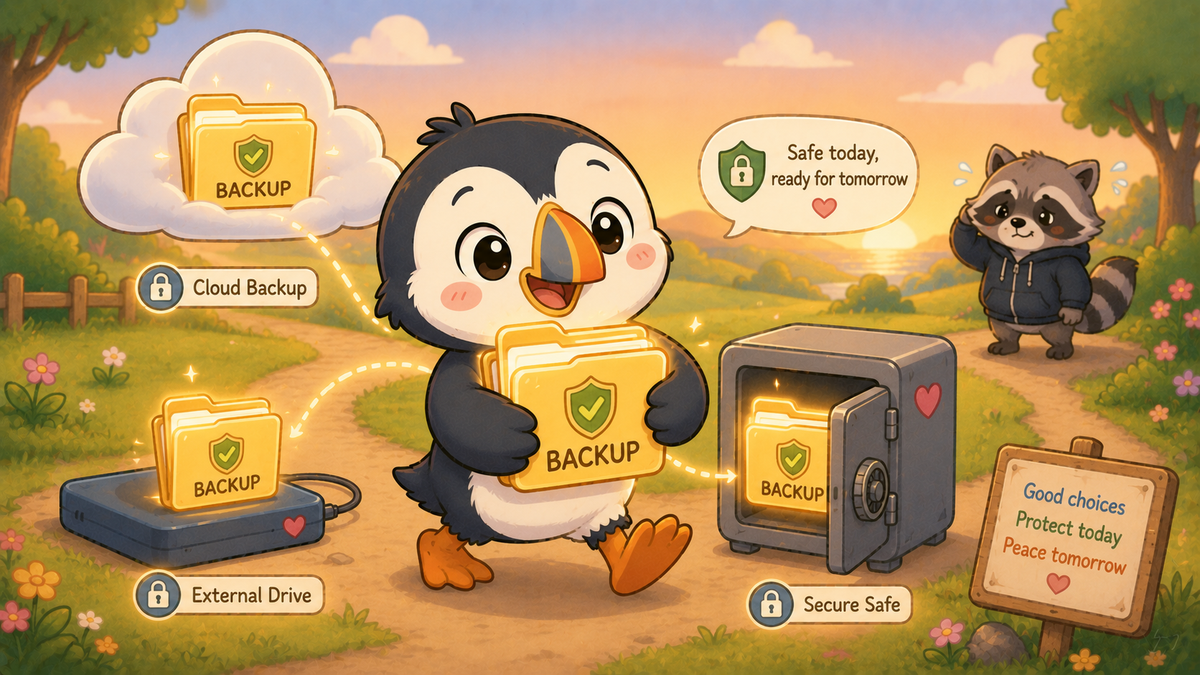
What works: backups that are stored offline — a disconnected external drive or tape system — or in a separate cloud environment with different credentials to the main network. Backups that are tested regularly, meaning someone has actually verified that they can restore from them. Backups that are taken frequently enough that the data loss in a worst-case scenario is manageable.
The 3-2-1 rule is the standard professional guidance: three copies of your data, on two different types of storage, with one stored off-site. For a large organisation, this is a formal IT policy. For a family, it might be an external hard drive kept at a relative's house and a cloud backup service.
What resilience actually looks like
Backups are the recovery mechanism. Resilience is broader — it is the combination of technical and human preparation that determines how quickly and completely an organisation can continue operating during and after an attack.
The organisations that handled ransomware best in 2025 had several things in common. They had documented incident response plans — a written procedure for exactly this scenario, reviewed and tested, that staff could follow without needing to think from scratch under pressure. They had manual fallback procedures — they knew how to do their core functions without digital systems, at least temporarily. They had clear communication plans — who tells staff, who tells customers or patients or parents, who talks to the media, what the message is. And they had relationships with incident response firms already established, so that when the attack happened they could make one call rather than searching for help at two in the morning.
They also had good cyber hygiene in the areas that matter most for preventing attacks in the first place: MFA on all accounts with external access, patching processes that kept software up to date on a reasonable timescale, and staff who had received recent, relevant training on phishing — the entry point for the majority of ransomware attacks.
The individual home
Most of this series has focused on organisations because that is where ransomware causes the most visible harm. But individual home computers are also targeted, and the principles are the same.
Your photographs, your documents, your family videos, your financial records — if they only exist on one device and that device is encrypted, they are gone unless you pay or the decryption key is recovered another way.
A simple, maintained backup costs almost nothing. Windows has built-in backup tools. Apple's Time Machine has existed since 2007. Most cloud storage services — Google Drive, iCloud, OneDrive — automatically back up the most common file types if you enable them. The habit of checking that the backup is actually running, and that the files you care about are actually included, is five minutes every few months.
The bigger picture
This series has covered ransomware from the malware itself, through the organisations it hits hardest, through the impossible payment question, to the preparation that makes the worst outcomes avoidable. The thread running through all of it is the same thread that runs through everything on this site.
Technology is not the villain. Ransomware does not exist because computers are inherently dangerous. It exists because humans made a decision to develop and deploy it as a criminal business model, targeting other humans who made decisions — under resource pressure, competing priorities, and genuine complexity — that left them vulnerable.
The defences that work are also human decisions: to fund IT security adequately, to train staff, to test backups, to have the uncomfortable conversation about what happens if everything goes down. These decisions are not glamorous and they are not in anyone's key performance indicators. But they are the ones that determine whether an organisation becomes a statistic or a recovery story.
The raccoon in C is for Cyber is nimble, adaptive, and gets into places it should not be. The humans defending against it need to be more nimble still.
What does this mean for me?
For individuals: enable backup on your devices today. iCloud, Google Drive, OneDrive, or an external hard drive — any of these is vastly better than nothing. Check it is actually working. Put a reminder in your calendar to check it quarterly.
For anyone in an organisation: ask your IT team when the backups were last tested. Not when they were last taken — when someone actually verified they could restore from them. These are different questions.
For parents: talk to your children about backing up. Teenage photographers, young gamers with saved progress, students with coursework — all of them are creating digital things they would be devastated to lose. The habit of backing up is easier to build young than to develop after a loss.
For everyone: the best time to prepare for ransomware was before this series. The second best time is today.
🧠 The Human Factor
| Technology involved | Offline backup systems, the 3-2-1 backup principle, incident response planning, and the cyber hygiene measures — MFA, patching, phishing training — that prevent most attacks from succeeding in the first place |
| Root cause | Ransomware recovery outcomes are almost entirely determined by preparation made before the attack — which means the human decisions about investment, planning, and testing are the ones that matter most |
| What was at risk | For organisations without adequate backups: months of rebuilding, maximum leverage for attackers, and the worst possible payment dilemma. For individuals: irreplaceable files and photographs |
| Prevention | The 3-2-1 backup rule; tested, offline backups; documented incident response plans; MFA, patching, and phishing awareness as the primary prevention measures |
References and sources
- NCSC: Offline backups in an age of ransomware — ncsc.gov.uk
- Sophos: State of Ransomware 2025 — recovery statistics
- NCSC: 10 Steps to Cyber Security — ncsc.gov.uk
- UK ransomware statistics 2025 — cybersecstats.com
This concludes the Ransomware series.